
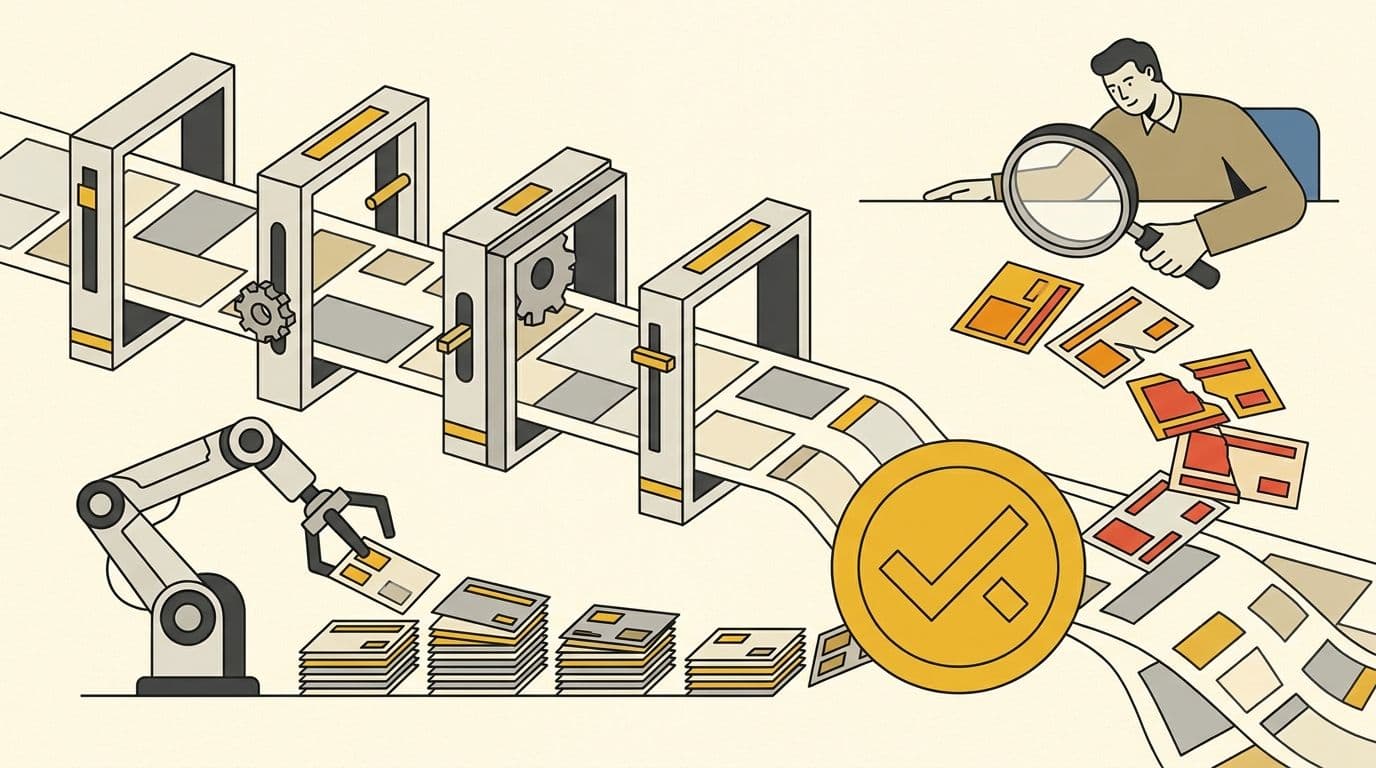
An AI bookkeeping workflow uses software to capture, classify, match and summarize transactions while a human bookkeeper reviews exceptions, reconciles accounts and documents the close. The safest model does not remove accountability. It assigns routine work to automation, judgment to qualified people and approvals to an authorized owner, controller or finance leader. This guide is written for small and mid-sized businesses — the companies most likely to be running the workflow without a full finance department.
- Founders and SMB owners deciding what bookkeeping work to automate and what to delegate
- COOs, finance leads and controllers designing review and approval controls around AI tools
- Accounting firms formalising human-in-the-loop delivery for clients
- Anyone hiring a remote bookkeeper into an AI-assisted workflow
Why the winning bookkeeping model is automation plus accountability
Bookkeeping is not a single task. It is a chain of evidence moving from invoices, receipts, bank feeds and payroll systems into a general ledger that management can trust. Automating one link can save time, but an error can also travel faster through the rest of the chain if nobody owns review.
That is why the useful question is not whether AI can “do bookkeeping.” The useful questions are narrower: Can it read the document? Can it suggest the right vendor or account? Can it identify a likely match? Can it explain why a transaction looks unusual? Who confirms the treatment, who approves money movement, and who signs off on the period?
Current adoption supports this narrower framing. In Intuit's 2025 survey, automation was already common across payroll, accounts payable, accounts receivable and transaction entry, while respondents also expected more strategic advisory work (Intuit QuickBooks Accountant Technology Survey). CPA.com's 2025 AI report similarly emphasizes human-in-the-loop verification and a deliberate AI roadmap rather than unattended deployment (CPA.com 2025 AI in Accounting Report).
The labor data points in the same direction. Routine clerk work is projected to contract, but replacement demand remains large, and accountant and auditor roles are projected to grow (BLS occupational projections, BLS Occupational Outlook Handbook). The implication for an SMB is practical: do not build a team around manual data entry, but do not confuse faster data entry with reliable books.
An effective workflow therefore has three properties. First, it is policy-led: account mappings, approval thresholds, cut-off rules and evidence requirements are written down. Second, it is exception-driven: humans spend more time on uncertain or consequential items and less time repeating approved patterns. Third, it is auditable: a reviewer can reconstruct what happened, who changed it, what source document supports it and who approved the result.
What is an AI bookkeeping workflow?
An AI bookkeeping workflow is a controlled sequence in which software extracts and proposes, a bookkeeper verifies and reconciles, and an authorized reviewer approves material judgments and releases. “AI” may include document recognition, probabilistic categorization, anomaly detection, natural-language explanations or forecasting. It should not mean that an unaccountable model owns the ledger.
The workflow is human-in-the-loop when software recommendations cannot silently become final for defined risk classes. A low-risk recurring subscription may be posted under a pre-approved rule. An unfamiliar large transfer, related-party payment, tax-sensitive expense or unusual journal entry should stop for review. Risk, not novelty, determines the control.
| Operating mode | What the system does | Human role | Best use | Main risk |
|---|---|---|---|---|
| Manual | Person enters and checks every item | Performs all processing and review | Low volume or temporary cleanup | Slow, inconsistent and dependent on one person |
| Rule-based automation | Applies deterministic vendor, amount or account rules | Maintains rules and checks exceptions | Stable recurring transactions | Bad rules repeat bad treatment |
| AI-assisted | Suggests fields, categories, matches or anomalies | Accepts, corrects, documents and escalates | Variable high-volume processing | False confidence in plausible suggestions |
| Autonomous | Posts or resolves without routine intervention | Reviews samples or downstream reports | Narrow, reversible, low-risk cases | Errors may compound before detection |
| Human-accountable | Combines rules and AI with risk gates and named owners | Owns exceptions, reconciliation and sign-off | Ongoing SMB finance operations | Requires disciplined roles and documentation |
Xero's guidance draws a similar boundary: AI tools can take care of certain regular tasks, but human accountants and bookkeepers still need to provide oversight and use their judgment — Xero advises evaluating tools deliberately, keeping sensitive client data out of public AI models, and never skipping human review because AI can be confidently wrong (Xero AI in accounting guide). The goal is not maximum autonomy. It is the lowest safe level of human effort for each transaction class.
Where agentic AI fits
The newest tier of this market calls itself agentic: AI agents that do not merely suggest but act — creating invoices, categorizing expenses, chasing receivables and proposing reconciliations, with the human reviewing what the agent already did. Intuit has shipped a set of AI agents inside QuickBooks Online along these lines, and AI-native ledgers such as Digits and Puzzle market an autonomous-first model, while services like Botkeeper and Zeni pair agents with human bookkeepers (verify current product scope on the vendors' own pages before relying on any specific capability — this category changes quarterly). In the operating-mode table above, agentic tools are the Autonomous row, and nothing about the label changes the control design: an agent's actions still pass through Gate 4 review for defined risk classes, the approval boundary stays with a named human, and a changed vendor bank detail is still a Red or Black event no matter how confident the agent is.
Map the workflow before buying more software
Start with a transaction map. List every source of financial data: bank and card accounts, payment processors, ecommerce platforms, expense tools, invoicing systems, payroll, loans, inventory, tax portals and offline documents. For each source, identify the system of record, the frequency of import, the owner and the evidence retained.
Next, map the path into the chart of accounts. Note which transactions use fixed rules, which rely on a vendor pattern, which require allocation, and which create timing differences. If the chart of accounts contains duplicate or overly granular categories, clean it before training rules. Automation applied to a confused structure creates faster confusion.
Then identify every decision point. Common decisions include whether an expenditure should be capitalized, whether a payment is personal or business, whether revenue is earned or deferred, whether a transfer is internal, and whether an expense belongs to a different period. These are not equivalent to reading a receipt. They need policy or qualified judgment.
Finally, map approvals separately from entries. A person may prepare a bill without being allowed to approve or release payment. Another may reconcile an account without being permitted to alter the underlying bank transaction. Segregating preparation, approval and review reduces both error and fraud risk.
The output should be a one-page operating map with columns for source, automation, bookkeeper action, reviewer action, evidence, deadline and escalation. That map becomes the specification for software configuration and the job description for a remote bookkeeper.
What to automate first
Document capture and field extraction
Invoices and receipts are good starting points because the input and expected fields are visible. Software can capture vendor, date, amount, currency, tax and line details, then attach the source to a draft transaction. A person should still resolve poor scans, duplicate documents, unusual taxes, inconsistent vendor names and documents that do not agree with the payment.
The control is completeness as well as accuracy. A beautifully extracted invoice is not useful if half the month's documents are missing. Track the percentage of ledger entries with required support and maintain a queue for missing evidence.
Recurring transaction rules
Stable subscriptions, rent, standard software vendors and predictable transfers can use deterministic rules after the accounting treatment is approved. Rules should include effective dates, account, class or department, tax treatment and a review owner. Avoid rules that rely only on a vague description or that sweep every transaction from a broad vendor into one category.
Review the rule register quarterly and whenever the business changes. A vendor that once supplied software may later provide implementation services, equipment or prepaid contracts. The vendor name alone does not always determine treatment.
Bank-feed matching suggestions
Matching is ideal for assistance, not blind trust. Software can propose that a bank item corresponds to an invoice, bill payment, payroll batch or transfer. The bookkeeper should compare amount, date, counterparty and reference, then investigate one-to-many deposits, partial payments, net processor settlements and foreign-exchange differences.
Bank feeds improve speed but do not replace reconciliation. Reconciliation compares the ledger to an external statement, explains timing differences and verifies the ending balance. Xero's bank-reconciliation guidance describes this comparison as the process of checking records against bank transactions and resolving differences (Xero bank reconciliation guide).
Anomaly detection and exception routing
AI can rank unusual items: a first-time vendor, weekend payment, amount outside a normal range, duplicate invoice number, changed bank detail, unusual account combination or entry posted after close. The value lies in triage. A flagged item is a question, not proof of an error.
Each alert needs a destination and service level. Low-impact categorization questions can enter the bookkeeper queue. Potential duplicate payments or bank-detail changes should become high-priority exceptions. Material or policy-sensitive items should route to the controller, CPA or business owner.
Draft reporting
Software can prepare draft profit-and-loss, balance-sheet, cash-flow and variance views once the underlying ledger is reconciled. It can also produce plain-language summaries. These are useful starting points, but the reviewer should check period cut-off, unusual balances, negative asset or liability accounts, suspense balances and unexplained variances before distribution.
A polished narrative can hide a weak close. Label unreviewed outputs as drafts, lock final reports to approved periods and preserve the reviewed version. AI may explain patterns, but management remains responsible for decisions based on them.
What a human bookkeeper should own
Automation removes keystrokes, not ownership. A human bookkeeper should own the daily exception queue, complete reconciliations, maintain evidence, keep the close checklist current and escalate items that exceed policy. The exact boundary depends on training and supervision; “bookkeeper” is not a license to make every accounting or tax decision.
Exception resolution
Every unrecognized, ambiguous or conflicting item needs a documented resolution. The bookkeeper should collect the invoice, contract, receipt or explanation; compare it with the bank record; apply the written policy; and record a short rationale. If no policy applies, the item should move to a qualified reviewer rather than being guessed into the nearest category.
Exception queues should show amount, age, account, risk level, owner and next action. This prevents questions from disappearing in email or chat. It also reveals recurring friction that can be solved with a new vendor rule, better document collection or clearer expense policy.
Reconciliations
The bookkeeper should reconcile every material cash, card, loan, processor and clearing account at an agreed cadence. Reconciliation means the ending ledger balance is tied to independent evidence and all differences are explained. Clicking “reconcile” is not sufficient if old unmatched items, duplicate transactions or unexplained adjustments remain.
Balance-sheet accounts also need substantiation. Accounts receivable should tie to customer detail, accounts payable to vendor detail, payroll liabilities to payroll reports, loans to lender statements, and fixed assets to a schedule. A clean income statement can coexist with serious balance-sheet errors.
Accounts payable and accounts receivable
For accounts payable, the bookkeeper can collect bills, check required fields, identify duplicates, route approvals, schedule due dates and update status. Payment release should remain with an authorized approver using bank-level controls. New or changed vendor bank details deserve independent verification outside the email thread that requested the change.
For accounts receivable, the bookkeeper can issue approved invoices, apply receipts, maintain aging, send routine reminders and identify disputes. Pricing concessions, write-offs, credits and collection escalation should follow explicit authority limits. The workflow should distinguish “customer has not paid” from “cash arrived but was not matched.”
Payroll coordination
Payroll automation can calculate approved inputs, taxes and net pay, but source changes require control. New hires, terminations, salary changes, bonuses, bank-detail changes and off-cycle payments should be supported and approved before the payroll deadline. The bookkeeper may coordinate and reconcile payroll without being the sole person who creates, approves and releases it.
After payroll runs, the bookkeeper should tie the payroll register to the bank withdrawal and ledger, investigate differences and track payroll liabilities. Intuit's survey found payroll among the most common accounting automation use cases, which makes disciplined input and post-run review more important, not less (Intuit QuickBooks Accountant Technology Survey).
Documentation and close readiness
The bookkeeper should maintain the recurring checklist, rule register, account reconciliation folder, open-exception log and close calendar. Documentation must allow another qualified person to reproduce the work. Screenshots without context and messages buried in a personal inbox are weak evidence.
The month is ready for review when feeds are complete, accounts are reconciled, required documents are attached, exceptions are resolved or explicitly carried, and draft reports have passed reasonableness checks. Close readiness is a state supported by evidence, not merely a date on the calendar.
Draw role boundaries before assigning access
Titles vary across companies, so define authority by task and risk rather than title alone. A capable bookkeeper may perform sophisticated reconciliations; a junior accountant may still need review. The matrix below is a starting point, not a substitute for professional advice or local requirements.
| Role | Typical ownership | Should not be assumed |
|---|---|---|
| Clerk or bookkeeping assistant | Capture, document follow-up, routine entry, queue updates | Accounting judgments, payment approval or final close sign-off |
| Bookkeeper | Reconciliations, AP/AR operations, rules, exceptions within policy, close preparation | Tax positions, complex GAAP decisions or unilateral payment release |
| Accountant | Adjusting entries, accruals, technical treatment, analytical review | Executive approval or statutory authority unless assigned |
| Controller | Close governance, policies, material reviews, controls and financial reporting | Ownership of every clerical task |
| CPA or tax adviser | Tax, assurance or licensed professional work within engagement scope | Daily bookkeeping unless contracted for it |
| CFO or finance leader | Capital, planning, risk, performance and finance operating model | Detailed transaction processing |
| Business owner or authorized approver | Policy, commercial context, bank authority and acceptance of risk | Preparing and approving the same payment without compensating review |
The key distinction is preparation versus authorization. A bookkeeper can prepare a journal or payment batch. An accountant or controller may review treatment. An authorized owner releases funds. The same person should not quietly control the source record, entry, approval and reconciliation for a material process. One boundary is legal rather than organizational: in the United States, attest and assurance work is restricted to licensed CPAs under state accountancy boards, and tax representation carries its own federal rules — so however capable the bookkeeping layer becomes, licensed work stays with licensed professionals. Businesses staffing this structure with dedicated remote people can scope the seats against Zedtreeo's remote finance and accounting staff role definitions.
The Zedtreeo Five-Gate Bookkeeping Control Loop
The Five-Gate Bookkeeping Control Loop turns “human review” into an operating system. Every transaction passes through five gates, and every uncertain item receives a control state. The framework works with QuickBooks Online, Xero or another ledger because it describes responsibilities rather than product features.
Gate 1: Capture
The objective is a complete, traceable source population. Bank feeds, card feeds, invoices, receipts, payroll summaries, processor reports and approved manual entries enter a controlled intake. Each item receives a source, date, owner and status; duplicates are identified before posting.
The bookkeeper monitors missing feeds and documents. Software extracts fields and may detect duplicates, but a person resolves unreadable files and confirms that the period is complete. A missing document is an exception, even when the transaction amount is known.
Gate 2: Classify
The objective is consistent treatment under the chart of accounts and written policy. Deterministic rules handle approved recurring patterns. AI proposes categories for variable items, but confidence alone does not determine posting authority.
The bookkeeper accepts or corrects suggestions within policy and records the reason for unusual treatments. Allocations, capital items, owner transactions, tax-sensitive items and unfamiliar contracts move to accounting review. Corrections feed back into rules only after the new pattern is approved.
Gate 3: Reconcile
The objective is agreement between the ledger and independent evidence. The bookkeeper matches, investigates and explains every difference. Timing items remain visible with expected resolution dates rather than being forced away through unsupported entries.
This gate covers bank accounts, cards, payment processors, loans, payroll liabilities, receivables, payables and material clearing accounts. The reviewer checks both completion and quality. An account marked complete with an unexplained old balance has not passed.
Gate 4: Review
The objective is to challenge the result. The reviewer examines exception logs, reconciliation support, unusual journals, account movements, cut-off, negative balances and significant variances. The review is risk-based: material, novel or irreversible items receive deeper attention.
Changes after review should be visible. QuickBooks Online provides an audit log that can help users identify activity and changes in the company file (QuickBooks audit log guidance). Audit history is useful evidence, but access design and active review still matter.
Gate 5: Close and explain
The objective is a locked, understandable period. Approved adjustments are posted, reports are versioned, the period is closed according to policy and management receives a concise explanation of important changes. Open items that legitimately cross periods remain on a documented roll-forward.
Explanation is not decoration. It confirms that someone understands what the numbers say and which uncertainties remain. A final package should include core statements, material variances, cash observations, aged receivables and payables, unresolved exceptions and the date and identity of the reviewer.
Four control states
Every item receives one of four states. Green means it matches an approved policy and may follow the defined automated path. Amber means a bookkeeper must resolve a routine exception. Red means accounting judgment, management approval or specialist review is required. Black means stop processing or payment because the item suggests fraud, access compromise, sanctions, legal restriction or another severe risk.
Control states make service levels and escalation measurable. Green items optimize throughput, Amber items test bookkeeping quality, Red items protect judgment, and Black items protect the business. A healthy workflow aims to reduce preventable Amber volume without weakening Red or Black controls.
A nine-step human-in-the-loop month-end close
1. Freeze the source population
Confirm that all bank, card, processor, payroll, invoicing and expense sources have imported through the cut-off. Record outages or delayed reports. Do not begin final reconciliation while material feeds are still incomplete.
2. Complete document collection
Run a missing-document report and contact owners using a consistent deadline. Attach evidence to the relevant entry or controlled repository. Keep a list of unresolved documents with amount, owner and escalation date.
3. Resolve uncategorized and low-confidence items
Work the exception queue from highest risk and amount to lowest. Apply approved rules, ask concise questions and escalate treatment outside policy. Avoid using suspense or “ask my accountant” accounts as permanent storage.
4. Reconcile cash and cards
Tie statement ending balances to the ledger and investigate every difference. Identify outstanding checks, deposits in transit, duplicate imports, internal transfers and fees. Save statements and reconciliation support with preparer identity and date.
5. Reconcile processors, payroll and balance-sheet accounts
For payment processors, bridge gross sales, fees, refunds, reserves and net bank deposits. Tie payroll registers to cash and liability balances. Substantiate receivables, payables, loans, taxes, prepaids, fixed assets and clearing accounts according to materiality.
6. Review cut-off and adjusting entries
Check transactions around period end for the correct period. Prepare supported accruals, deferrals, depreciation or reclassifications within assigned competence. Route technical or tax-sensitive entries to the accountant, controller or CPA.
7. Perform analytical review
Compare results with the prior month, budget and operational drivers. Investigate unexpected margins, negative balances, large round-dollar entries, new accounts and unusual vendor or customer movements. AI can propose explanations, but the reviewer verifies them against source facts.
8. Clear or disclose exceptions
Every material exception must be resolved, approved for carry-forward or disclosed. Record an owner and due date for anything carried. A long list of unexplained items means the period is not ready even if statements can be printed.
9. Approve, distribute and lock
The authorized reviewer signs off, the final package is versioned and the period is restricted against casual changes. Distribute reports only to approved recipients. If a later correction is required, document the reason, approval and effect rather than silently replacing history.
This close is “automated” where software gathers, matches, calculates and drafts. It remains human-accountable where people resolve exceptions, validate evidence and accept the result. The combination produces speed without pretending that the tool can own management's books.
AI-assisted bank reconciliation without blind matching
Bank reconciliation is the strongest demonstration of the workflow boundary. Software is excellent at finding candidate matches, but economic events often do not align one-to-one with bank lines. The bookkeeper must understand the bridge.
| Exception | Why matching struggles | Human review |
|---|---|---|
| Unmatched deposit | Invoice, owner funding or loan may be absent | Identify source and treatment; obtain evidence |
| Duplicate transaction | Feed and manual entry may both exist | Confirm duplication before deletion or exclusion |
| Internal transfer | Cash leaves one account and enters another on different dates | Link both sides and explain timing |
| Bank fee or interest | No source document was entered | Post under approved policy and retain statement evidence |
| Outstanding check | Ledger records payment before bank clears | Keep as reconciling item and monitor age |
| Card settlement | Many charges settle as one batch | Tie processor batch to gross, fees, refunds and net |
| Foreign currency | Invoice, ledger and bank use different values | Apply approved FX treatment and escalate material differences |
| Partial payment | Amount does not equal one invoice | Apply accurately and preserve remaining balance |
| Stale item | Reconciling difference persists across closes | Investigate cancellation, reissue or error; obtain approval |
| Changed counterparty | Description differs from known vendor | Verify identity and bank details before acceptance |
The review should begin with completeness: does the statement cover the whole period, are all pages present, and does the opening balance agree with the prior close? It then tests the ending balance and individual differences. Xero's practitioner guidance emphasizes comparing accounting records with bank statements and resolving discrepancies (Xero reconciliation guidance for practitioners).
Do not measure reconciliation quality only by completion percentage. Also measure aged reconciling items, adjustments made solely to force agreement, accounts reopened after close and differences lacking support. Fast reconciliation with unexplained clearing entries is not a control improvement.
Controlled workflows for AP, AR and payroll
Accounts payable
The AP workflow begins with controlled bill intake. Software extracts fields and checks for likely duplicates. A bookkeeper confirms vendor identity, purchase evidence, amount, tax and coding, then routes the bill under an approval matrix. Approved bills enter a proposed payment run; an authorized person independently reviews and releases funds.
Urgent requests should not bypass bank-detail verification or approval. A changed bank account is a Red or Black event depending on context. Verify it through a trusted channel independent of the request, record the check and restrict who can edit vendor master data. If AP volume is what forces the hire, a dedicated remote bookkeeper can own this queue under exactly these controls.
Accounts receivable
The AR workflow starts with approved billing inputs from contracts, delivery records or subscription systems. Automation can create recurring invoices, send reminders and suggest receipt matches. The bookkeeper maintains the aging, applies cash and identifies disputes; commercial owners approve credits, concessions or write-offs.
Use separate queues for collection risk and bookkeeping mismatch. A 60-day receivable may reflect a real customer dispute, while an apparently unpaid invoice may simply have a net deposit that was not allocated. The action and owner differ. AR follow-up is also well suited to structured remote support — see the virtual assistant for bookkeeping scope for where the VA boundary sits.
Payroll
The payroll workflow should separate approved people data from payroll execution. HR or an authorized manager approves employee status and compensation. The payroll system calculates the run. The bookkeeper checks changes, reconciles the register and records the result. Bank release and sensitive master-data changes require authorized control.
Payroll access deserves least privilege because it combines money and personal information. Remove departed users promptly, require strong authentication, limit exports and document off-cycle changes. Reconcile payroll taxes and liabilities, not just the net cash withdrawal.
Access, auditability and data governance
An AI-ready process is also an access-ready process. Give each person a named account, the minimum role needed and no shared credentials. Separate bank access from ledger access where practical. Use multifactor authentication, review user access periodically and revoke it as part of offboarding.
Audit logs should be reviewed after unusual changes and during close. Logs are not a substitute for prevention; they help reconstruct activity. Define which changes require tickets or approval, including chart-of-accounts edits, vendor-bank changes, deleted transactions, reopened periods and modifications to reconciled items.
Retain source documents and records under a written policy that reflects tax, contractual, regulatory and operational needs. The IRS states that a recordkeeping system should clearly show income and expenses and that records must prove the income or deductions on a tax return (IRS recordkeeping guidance); its retention guidance adds that records should support each item of income, deduction or credit shown on the return (IRS: how long to keep records). IRS Publication 583 provides further guidance for starting a business and keeping records (IRS Publication 583).
For AI features, document what data is sent, where it is processed, how long it is retained, whether it trains a vendor model, and which sub-processors can access it. Prefer tools embedded in the approved accounting stack where controls and permissions are understood. Do not paste payroll, tax identifiers, banking information or customer records into unapproved general-purpose tools.
Backups and exports matter even in cloud systems. Define how the company would recover critical reports, source files, vendor lists, approval evidence and reconciliations if access were lost. Test the process rather than treating a subscription as a recovery plan.
KPMG's reporting from the 2025 AICPA and CIMA conference highlighted human involvement, monitoring and validation as important controls around AI-related processes (KPMG conference report). For bookkeeping, that translates into named owners, risk gates, validation samples, change control and a visible exception trail.
When software is enough and when to hire a remote bookkeeper
Software may be enough for a very small operation with low transaction volume, one bank account, simple cash-basis reporting, no payroll, no inventory, no processor complexity and an owner who reliably reconciles and reviews. Even then, periodic accountant review may be appropriate. “Enough” means the books remain complete and useful, not that the subscription runs without an error message.
Human support becomes more valuable when transaction volume rises, documents arrive from many people, the business uses several cards or processors, invoices require follow-up, payroll changes frequently, or the owner delays reconciliation. It is also useful when exceptions recur, close takes too long, reports are not trusted, or the outside accountant spends expensive time cleaning basic records.
Hire for a defined operating gap. A remote bookkeeper can own the daily queue, reconciliations, AP/AR operations and close preparation. For the economics and logistics of staffing that seat offshore, see the dedicated guides on outsourcing bookkeeping to India and building a remote finance function for U.S. SMBs. An accountant or controller should remain available for complex treatments, material adjustments, control design and review. A CPA or tax adviser handles work within the applicable professional engagement.
Remote bookkeeper versus bookkeeping virtual assistant
A bookkeeping virtual assistant is often best for structured support: collecting documents, following up on receipts, preparing data, updating trackers and performing approved routine entries. A remote bookkeeper should be able to reconcile accounts, investigate discrepancies, maintain the chart-of-accounts discipline, prepare a close package and explain exceptions.
The difference is capability and accountability, not location. If the role is expected to sign off reconciliations and manage an exception queue, test bookkeeping competence. If it mainly organizes inputs under close supervision, a VA profile may be appropriate. Zedtreeo's virtual assistant for bookkeeping service should own the VA conversion intent, while hire a bookkeeper should own the dedicated-bookkeeper intent.
Individual bookkeeper versus managed finance pod
One dedicated bookkeeper can suit a stable SMB with a clear reviewer and documented policies. A multi-role finance pod is stronger when the business needs transaction processing, accounting review, reporting and coverage across different skill levels. The pod reduces key-person dependence but needs explicit handoffs so responsibility does not become diffuse.
Do not buy a pod simply because it sounds more mature. Start with process volume, risk, reviewer availability and service windows. If the internal controller can provide judgment and sign-off, one capable remote bookkeeper may be enough. If nobody internal can review, add accounting oversight rather than pretending the bookkeeper can self-review every material decision. Zedtreeo's Finance Stack is the natural internal destination for this team-level option.
Software-only versus software with human support
Software-only offers low marginal processing cost and immediate availability, but the customer owns setup, questions, corrections and control. Human-supported software adds an accountable queue owner and a path for ambiguity. The better commercial comparison is not feature count; it is the cost of unresolved exceptions, delayed closes and untrusted reports.
Ask vendors exactly what “human review” means. Does a person inspect every exception or a sample? Are reconciliations included? Who can make adjustments? Is the reviewer a bookkeeper, accountant or support agent? What is the response time? What is excluded? Marketing language should be converted into a responsibility matrix.
How to vet an AI-ready remote bookkeeper
An AI-ready bookkeeper is not merely someone who has used an AI chatbot. The person understands bookkeeping fundamentals, can work inside controlled software, recognizes when a recommendation is uncertain, documents decisions and escalates beyond authority. Tool speed without skepticism is a risk. This is the same standard Zedtreeo applies when screening AI-ready remote staff: tool fluency plus disciplined human review, never autonomy.
Use a paid sample test
Create a small, anonymized test with 20 to 30 transactions and a simple policy. Include recurring expenses, a transfer, a partial customer payment, a processor net deposit, a duplicate, a missing receipt, an owner transaction and one item that requires escalation. Provide a mock bank statement and ask the candidate to reconcile it, list exceptions and prepare a short close note.
Score the process as well as the answer. A strong candidate asks clarifying questions, preserves source evidence, avoids unsupported entries and distinguishes routine resolution from accounting judgment. A weak candidate may categorize everything quickly but fail to notice that the statement cannot reconcile.
Do not use live confidential data in the test. Remove names, bank details, tax identifiers and commercially sensitive information. Pay for substantial work and state that the exercise is an assessment, not production activity.
Ten interview questions
- Walk through a bank reconciliation that did not balance. Listen for a systematic search through opening balance, missing transactions, duplicates, transfers, timing and prior changes.
- When would you refuse an AI categorization suggestion? Look for policy, evidence, materiality and escalation, not personal preference.
- How do you handle a net processor deposit? The candidate should bridge gross sales, refunds, fees, reserves and net cash.
- What belongs in a month-end close checklist? Expect sources, reconciliations, adjustments, review, exceptions and sign-off.
- How do you verify a vendor's changed bank details? Look for independent verification and controlled vendor-master access.
- Which tasks should not be owned by one person? Payment preparation, approval, release and reconciliation should trigger a segregation-of-duties discussion.
- How do you document an unusual transaction? Expect source evidence, policy or rationale, approver and an audit trail.
- What would you escalate to an accountant or controller? Look for complex revenue, capital items, accruals, tax-sensitive issues, material journals and uncertain policy.
- How do you protect financial data while working remotely? Named access, multifactor authentication, approved devices and tools, least privilege and secure handling should appear.
- How do you know the close is complete? A good answer ties completion to reconciled evidence and reviewed exceptions, not simply to generated reports.
Weighted candidate scorecard
| Dimension | Weight | Evidence |
|---|---|---|
| Reconciliation accuracy | 25% | Sample ties, differences explained, no forced adjustments |
| Bookkeeping fundamentals | 20% | Correct treatment within provided policy |
| Exception judgment | 15% | Flags uncertainty and escalates appropriately |
| Documentation quality | 10% | Clear support, notes and reproducible work |
| Controls and security | 10% | Segregation, verification, access awareness |
| Systems fluency | 10% | Efficient use of ledger, feeds and workflow tools |
| Communication and reliability | 10% | Concise questions, status discipline and deadlines |
Set a minimum in reconciliation and controls even if the total score is high. Fast communication cannot compensate for unreliable books. Require references and identity checks appropriate to the access and sensitivity of the role.
A four-week remote bookkeeper onboarding plan
Week 1: Access, policy and observation
Create named, least-privilege accounts and test access. Review the business model, entity structure, chart of accounts, accounting basis, close calendar, materiality, approval matrix, record-retention policy and escalation contacts. The new bookkeeper observes a complete process before changing rules.
Inventory every bank, card, processor, payroll and billing source. Reconcile the source list to what appears in the ledger. Establish secure communication channels and prohibit unapproved tools for financial data.
The deliverables are an access register, source map, role matrix and open-question log. Do not judge onboarding success by the number of entries posted in the first week.
Week 2: Supervised processing
Assign low-risk capture, matching and categorization under review. Require the bookkeeper to use the Green, Amber, Red and Black states. Compare each correction with the written policy and update training notes where the policy is unclear.
Introduce AP/AR queues and document-follow-up routines. The bookkeeper prepares, but authorized staff retain approvals and releases. Sample work daily and provide consolidated feedback rather than changing direction transaction by transaction.
The deliverables are a processed low-risk batch, an exception register, a draft rule register and evidence of reviewer feedback.
Week 3: Reconciliation and close rehearsal
The bookkeeper prepares reconciliations for selected accounts, builds processor bridges and substantiates assigned balance-sheet balances. Use a prior period or controlled current-period rehearsal. The reviewer inspects supporting schedules and asks the bookkeeper to explain every old or unusual item.
Test escalation timing with realistic cases: missing receipt, duplicate bill, changed bank detail, owner transaction and uncertain capitalization. Confirm that the bookkeeper stops where expected.
The deliverables are reviewed reconciliations, an updated exception log, KPI baseline and first close-readiness report.
Week 4: Controlled ownership
Transfer ownership of the agreed daily and weekly queues. The bookkeeper prepares the close package, while the accountant, controller or owner retains review and sign-off. Review access, remove temporary permissions and finalize recurring meeting and reporting cadences.
At the end of the week, run a retrospective. Identify rules that can safely move to Green, recurring Amber items that need process fixes, and Red items that need a documented policy. Agree on 30-, 60- and 90-day targets.
The deliverables are a signed responsibility matrix, final standard operating procedures, service levels and a controlled transition to normal operation.
Bookkeeping KPIs and service levels that measure trust
Close timeliness
Measure business days from period end to a reviewed close package, not to the first draft report. Track the median and exceptions. A faster close is valuable only when reconciliation and review quality remain stable.
Reconciliation completion
Track material accounts reconciled by deadline and reviewed by deadline. Add aged reconciling items and forced adjustments as quality indicators. A 100% completion rate with unexplained balances is misleading.
Uncategorized and low-confidence rate
Measure unresolved items as a percentage of period transactions or value. Segment by source and age. A falling rate may show better rules, but verify that items are not being pushed into generic accounts to improve the metric.
Exception aging
Track Amber and Red items by age, value, owner and reason. Recurring missing documents may indicate a collection problem; recurring treatment questions may indicate a weak policy; recurring processor differences may indicate a broken integration.
Duplicate and correction rate
Track confirmed duplicates, corrected classifications and reopened reconciliations. Separate system, source and human causes. The purpose is process improvement, not hiding errors.
Documentation rate
Measure the percentage of transactions or sampled items with required source evidence and rationale. Set higher evidence expectations for unusual, material and manual journal entries.
Response and resolution time
Define response time as acknowledgment and resolution time as completed action. Set different targets for routine questions, close blockers and suspected fraud. A Black event should not sit in the same queue as a missing lunch receipt.
Reopen rate
Track periods, reconciliations or reports changed after approval. Some changes are legitimate; each should have a documented reason, approver and impact. A rising reopen rate may show rushed review or unstable upstream data.
Use a balanced dashboard. Timeliness without accuracy encourages shortcuts, and accuracy without cadence leaves management waiting. Pair speed, quality, control and communication measures.
Common failure modes and how to correct them
Automating a broken chart of accounts
An inconsistent chart creates inconsistent rules. Simplify duplicate accounts, define each account and restrict who can create new ones. Review mappings before importing more history.
Treating confidence as authority
A model can be confidently wrong. Use risk classes and approved rules, not a confidence score alone. Novel, material or irreversible items must receive human review.
Letting the bookkeeper self-approve everything
Preparation, approval, release and reconciliation concentrated in one person create avoidable risk. Add an authorized approver and periodic independent review. Where headcount is limited, use bank controls, thresholds and retrospective review as compensating measures.
Measuring activity instead of outcomes
Transactions processed and hours logged do not prove reliable books. Measure reconciled accounts, exception aging, documentation, reopen rates and close timeliness.
Hiding unresolved items
Generic suspense, miscellaneous and “ask accountant” balances can become warehouses for uncertainty. Give every item an owner and due date; report material unresolved balances in the close package.
Allowing sensitive data into unapproved AI tools
Convenience can bypass confidentiality and retention controls. Approve tools, document permitted uses, limit data, review vendor terms and train staff. Never assume a consumer AI interface has the same controls as the accounting system.
Overlapping service and content pages
Publishing several articles for “hire a bookkeeper,” “virtual bookkeeping services” and “bookkeeping outsourcing” can divide relevance. Keep the new article centered on workflow and human review, then link commercial phrases to their established owner pages.
Buying software instead of assigning ownership
No tool chases a missing receipt, explains an owner transaction or accepts the close unless a person is assigned. Every queue, reconciliation, approval and report needs a named owner and backup.
A 90-day implementation roadmap
Days 1-30: Stabilize
Inventory systems, accounts, roles and access. Document the chart of accounts, close calendar, approval matrix and source map. Reconcile opening balances, identify aged exceptions and prohibit unsupported plug entries. Choose a narrow first automation area, such as invoice capture or approved recurring rules.
If the books are behind, sequence catch-up work before automation: reconstruct the backlog period by period from bank statements and source documents, reconcile each period before moving to the next, and resist bulk-categorizing history with rules you have not yet validated — automating over an unreconciled backlog bakes the errors in. Catch-up is also the natural moment to bring in dedicated support, because backlog reconstruction is exactly the bounded, evidence-driven work a remote bookkeeper can own under review.
Establish a baseline for close days, reconciliation completion, uncategorized items, exception age and reopen rate. Assign a named bookkeeper and reviewer. If hiring support, use the paid sample test and responsibility matrix before granting broad access.
At day 30, the business should know where data comes from, who owns each step and which balances cannot yet be trusted. The goal is visibility, not a dramatic autonomy claim.
Days 31-60: Control and automate
Configure approved rules for stable Green transactions. Introduce AI suggestions for classification, matching and anomaly ranking, but route Amber and Red items to people. Build AP, AR and payroll checklists with separate approvals and bank controls.
Run the Five-Gate Control Loop through a complete monthly close. Sample automated postings, review audit activity and document every material exception. Remove redundant accounts and rules that create noise.
At day 60, routine volume should be moving faster while exceptions are more visible. If Amber volume remains high, improve source collection, policy or integrations before adding more automation.
Days 61-90: Optimize and scale
Analyze exception patterns and promote only proven, low-risk cases into Green automation. Add processor bridges, recurring management reports and service-level dashboards. Test access removal, backup exports and recovery of a prior close package.
Compare the first controlled close with the baseline. Look for faster review-ready reporting, fewer old differences, better evidence and clearer ownership. Do not claim success solely from fewer manual touches.
At day 90, management should have an auditable operating model, not just a collection of apps. The next decision may be deeper automation, a dedicated remote bookkeeper, accounting oversight or a multi-role finance pod. Make that decision from measured bottlenecks.
Frequently asked questions
Can AI replace a bookkeeper?
AI can replace portions of manual capture, categorization, matching and draft reporting. It does not accept responsibility for evidence, judgment, approvals or the reliability of the close. Most SMBs need less manual processing and clearer human ownership, not an unreviewed ledger.
What bookkeeping tasks should be automated first?
Begin with document capture, approved recurring rules, bank-match suggestions, duplicate detection and draft reports. These tasks are repetitive and reviewable. Delay autonomy for unusual journals, payments, tax-sensitive items, owner transactions and material estimates.
What bookkeeping tasks still need human review?
Humans should review exceptions, reconciliations, unusual or material transactions, vendor-bank changes, processor bridges, adjusting entries and the final close package. They should also approve policies and payment releases according to authority.
How often should books be reconciled?
Cadence should follow transaction volume and risk. High-volume cash, card and processor accounts may need daily or weekly attention, while a formal month-end reconciliation remains essential. Low-volume accounts may be monthly, but waiting until year-end makes investigation harder.
How do you review AI bookkeeping?
Review the source evidence, rule or suggestion, account treatment and audit history. Sample Green items, resolve all material Amber and Red items, reconcile independent statements and perform analytical review before close. Record corrections so policies and rules improve.
Is AI bookkeeping safe?
It can be safe when approved tools, least-privilege access, data restrictions, human review, audit logs and escalation are built into the process. It is unsafe when sensitive records enter unapproved tools or recommendations post without accountable review.
What is an AI-ready bookkeeper?
An AI-ready bookkeeper combines bookkeeping fundamentals with controlled use of automation. The person can verify suggestions, reconcile accounts, document exceptions, protect data and recognize when an accountant, controller or owner must decide.
What is the difference between a remote bookkeeper and a bookkeeping virtual assistant?
A bookkeeping VA commonly supports document collection, tracking and approved routine processing. A remote bookkeeper is normally expected to reconcile, investigate differences, manage exceptions and prepare a close package. Scope and tested competence matter more than the title.
When should a business hire a remote bookkeeper?
Consider hiring when the owner cannot maintain reconciliations, transaction sources multiply, AP/AR follow-up slips, the close is delayed, reports are not trusted or an accountant repeatedly cleans routine records. Define the work and reviewer before hiring.
How should a business test a remote bookkeeper?
Use a paid, anonymized sample with a bank statement, policy and mixed transactions. Include a duplicate, transfer, partial payment, processor deposit, missing evidence and an item requiring escalation. Score reconciliation, judgment, documentation, controls and communication.
Who should approve payments?
An authorized owner or manager should approve and release payments under a written matrix. The bookkeeper may prepare bills and payment batches, but material processes should separate preparation, approval, release and reconciliation where practical.
Can one person run the whole bookkeeping process?
A small business may have one primary bookkeeper, but it still needs review and authorization outside that person for important areas. Bank controls, approval thresholds, audit review and accountant or owner sign-off can provide compensating oversight.
What is continuous bookkeeping?
Continuous bookkeeping processes feeds, documents, matches and exceptions throughout the month rather than waiting for period end. It reduces the close backlog, but the period still needs formal reconciliation, review and approval.
What records should a business keep?
Keep records that support income, deductions, credits, assets, liabilities and material business decisions according to applicable requirements and policy. The IRS explains that a recordkeeping system should clearly show income and expenses, with records supporting each item of income, deduction or credit on the return (IRS recordkeeping guidance; retention guidance).
How should bookkeeping exceptions be escalated?
Assign a risk state, owner and deadline. Routine policy questions go to the bookkeeper, accounting judgments to an accountant or controller, approvals to an authorized manager, and suspected fraud or compromised access to an immediate stop-and-escalate path.
What does human-in-the-loop bookkeeping cost?
Cost depends on volume, complexity, systems, service window, role level and whether review is included. Use the workflow to define responsibilities before comparing prices. For Zedtreeo-specific commercial information, use the pricing page; for market context, see the freelance bookkeeper rates guide.
Do QuickBooks or Xero remove the need for review?
No. Both can improve capture, rules, feeds and matching, but the company still owns configuration, evidence, exceptions and approval. Product automation changes how review is performed; it does not make reconciliation or accountability optional. If the need is a person who runs QuickBooks day to day, see the QuickBooks bookkeeper hiring guide.
Can AI agents close the books on their own?
Not safely, for a business that anyone audits or lends to. Agentic tools can execute most of the mechanical close — matching, categorizing, drafting reports — but the close is an accountability event: reconciliations tied to evidence, exceptions resolved or disclosed and an authorized sign-off. An agent can prepare the close; a named human still accepts it.
AI bookkeeper vs. human bookkeeper: who should do what?
Software wins on processing speed, volume and consistency of approved patterns. A human bookkeeper wins on exceptions, evidence, judgment within policy and accountability — and is the only party who can escalate. The practical answer is the operating-mode table above: AI proposes, the bookkeeper verifies and reconciles, an authorized reviewer approves.
Does AI bookkeeping get more accurate over time?
Suggestions generally improve as the system learns from corrections. The control point most vendors skip: corrections should only be promoted into automated rules after a human approves the new pattern — otherwise a wrong correction trains a confidently wrong rule that repeats every month.
Is outsourced bookkeeping the same as an AI bookkeeping workflow?
No. Outsourcing describes who performs work; an AI bookkeeping workflow describes how work moves through automation, review and control. An in-house or remote team can use the same Five-Gate model. The business case for outsourcing itself is covered separately in why startups and SMEs outsource accounting.
Build a bookkeeping system that can explain itself
The best bookkeeping workflow is not the one with the fewest people touching it. It is the one that moves routine work efficiently, surfaces ambiguity early and produces a ledger another qualified person can reproduce. Automation should make exceptions more visible, not bury them under faster posting.
Start with the source map and role matrix. Implement the Five-Gate Control Loop, establish Green through Black control states and run one complete human-in-the-loop close. Measure trust with reconciliations, evidence, exception age and reopen rate. Only then expand autonomy.
If the gap is daily ownership, explore Zedtreeo's dedicated remote bookkeeper service. If the business needs bookkeeping plus accounting review and broader coverage, compare the Finance Stack team model or browse the wider finance and accounting solutions. For what this looks like in practice, see the remote finance and accounting staffing case study. The right engagement follows the workflow, not the other way around.