
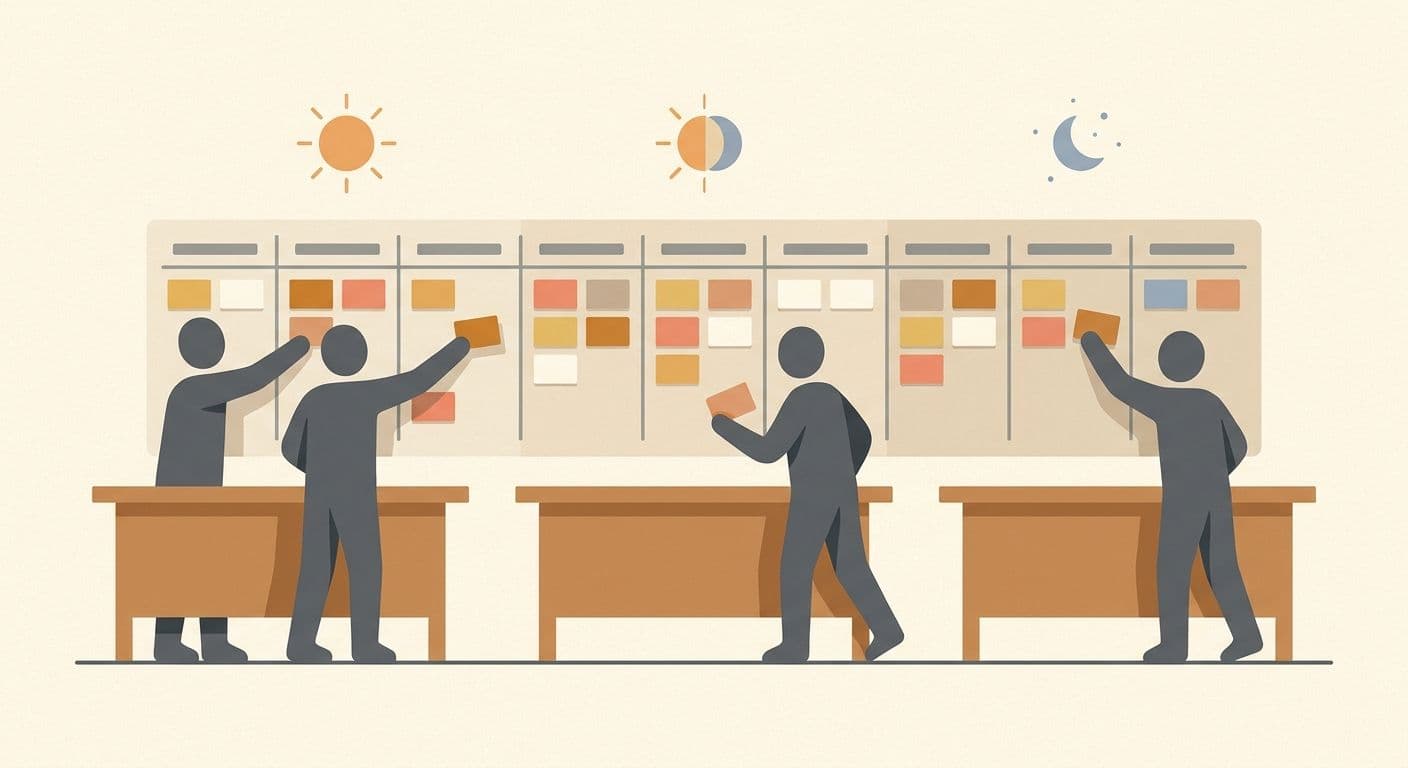
Running agile with remote teams requires adapting—not abandoning—core scrum ceremonies. Daily standups shift to async written updates with optional video syncs. Sprint planning uses collaborative boards with pre-written context. Retrospectives leverage anonymous input tools for honest feedback. Sprint reviews are recorded for asynchronous viewing. The key principle: every ceremony must produce a written artifact, and every decision must be documented where the team can find it. Remote agile done well often outperforms co-located teams by forcing clarity that in-person teams skip.
Agile was designed for co-located teams. The original Agile Manifesto emphasized “face-to-face conversation” as the most efficient form of communication. Two decades later, the most effective engineering teams in the world are running scrum across three or more time zones—and shipping faster than many co-located teams.
The secret isn’t ignoring agile principles. It’s translating them for a distributed context. Every ceremony, artifact, and practice has a remote-optimized equivalent. This guide shows you exactly how to implement each one.
How We Source Our Data
This guide draws from Zedtreeo’s experience placing 500+ remote professionals globally—many of them developers working in agile environments. Frameworks are informed by the Scrum Alliance’s distributed team research, Atlassian’s State of Agile reports, GitLab’s remote work handbook, and our own client engagement data tracked across engineering teams operating in scrum. Our editorial team reviews and updates this content quarterly.
- Engineering managers running scrum with partially or fully remote development teams
- Scrum masters adapting ceremonies for distributed team members across time zones
- CTOs and technical leads considering remote developers and wanting to maintain agile velocity
- Product managers who need sprint planning and backlog grooming to work asynchronously
- Business leaders evaluating whether remote developers can integrate into their existing agile workflows
- Teams using waterfall or other non-iterative methodologies (the principles here are scrum/kanban-specific)
- Solo freelancers managing their own work (agile is a team practice)
- Organizations looking for a basic “what is agile?” introduction (this assumes working knowledge of scrum)
Why Remote Agile Requires Adaptation, Not Abandonment
The most common mistake teams make is trying to replicate in-person scrum ceremonies over video calls without changing anything. A 15-minute standup with 8 people on camera at 9 a.m. works when everyone is in the same office. It becomes a painful, low-value ritual when half the team is in a different time zone, connections lag, and nobody remembers what was said five minutes later.
Remote agile succeeds when teams accept one fundamental shift: documentation replaces proximity. In a co-located office, information spreads through hallway conversations, whiteboard sketches, and overheard discussions. In a distributed team, if it’s not written down, it doesn’t exist.
This isn’t a weakness. It’s a forcing function for better engineering practices. Remote teams that embrace written-first communication often develop clearer requirements, better-documented codebases, and more transparent decision-making than their co-located counterparts.
Adapting the Four Scrum Ceremonies for Remote Teams
1. Daily Standups: The Async-First Approach
The traditional standup—everyone standing in a circle answering three questions—is the ceremony most damaged by naive remote translation. Eight people on a video call reading updates they could have typed is nobody’s idea of productive.
The Async Standup Model
Replace the synchronous standup with a structured written update posted daily in a dedicated channel (Slack, Teams, or your project management tool). Each team member posts by an agreed time:
- Yesterday: What I completed (with links to PRs, tickets, or artifacts)
- Today: What I’m working on (with ticket references)
- Blockers: Anything preventing progress (tagged to the person who can help)
Tools like Geekbot, Standuply, or built-in Slack workflows can automate the prompt and collection. The scrum master reviews all updates within an hour and follows up on blockers directly.
When to Keep a Synchronous Standup
Async standups work best for teams with 3+ hours of timezone spread. If your entire remote team shares overlapping working hours, a brief 10-minute video standup can still add value—but only if you enforce strict time limits and focus exclusively on blockers, not status recitation.
2. Sprint Planning: Pre-Work Is Everything
Sprint planning in a co-located team often involves real-time discussion around a whiteboard, estimating stories collaboratively, and building the sprint backlog in a single session. Remote sprint planning that tries to replicate this as a two-hour video call is exhausting and inefficient.
The Remote Sprint Planning Framework
| Phase | Timing | Format | Purpose |
|---|---|---|---|
| Pre-planning | 2 days before sprint start | Async (written) | Product owner publishes prioritized backlog with acceptance criteria for each story. Team reviews and posts clarifying questions. |
| Estimation | 1 day before sprint start | Async (tool-based) | Team estimates stories using Planning Poker tools (Parabol, Scrumpy, or Jira’s built-in estimation). Outlier estimates trigger async discussion threads. |
| Sprint kickoff | Sprint day 1 | Synchronous (60 min max) | Resolve remaining questions, confirm sprint goal, assign initial ownership, and align on definition of done. |
This approach reduces the synchronous meeting to 60 minutes by moving estimation and clarification into async phases where team members can think deeply without time pressure.
3. Sprint Retrospectives: Anonymity Drives Honesty
Retrospectives are the most important ceremony for continuous improvement—and the one most likely to become performative in a remote setting. When people are on camera with their manager, candid feedback about what went wrong is rare.
Remote Retro Best Practices
- Use anonymous input tools — Retrium, EasyRetro, or a simple anonymous form where team members submit “what went well,” “what didn’t,” and “what to try” before the live session
- Timeboxed discussion — 45 minutes maximum. Group similar themes, discuss the top 3–4 items, and assign one concrete action item per theme
- Rotate facilitators — different team members facilitate each retro to prevent the scrum master from dominating the conversation
- Track action items — every retro action item goes into the next sprint backlog. If action items from retros never get done, the team stops taking the ceremony seriously
4. Sprint Reviews and Demos: Record Everything
Sprint demos are where the team shows working software to stakeholders. In a remote context, stakeholders may be in different time zones or unable to attend live.
- Record every demo — use Loom, Zoom recording, or any screen capture tool so absent stakeholders can watch asynchronously
- Share a written summary — alongside the recording, post a sprint review document listing what was completed, what was deferred, and key decisions
- Collect async feedback — give stakeholders 48 hours to submit comments and questions in a dedicated thread
- Keep it short — 30–45 minutes of demo, not a two-hour presentation. Respect everyone’s time, especially across time zones
Sprint Board Tools for Remote Agile Teams
The sprint board is the central nervous system of any scrum team. For remote teams, the right tool eliminates ambiguity about what’s in progress, what’s blocked, and what’s done.
| Tool | Best For | Strengths | Considerations |
|---|---|---|---|
| Jira | Mid-to-large engineering teams | Deep scrum/kanban support, advanced reporting, integration ecosystem | Complex configuration, steeper learning curve |
| Linear | Fast-moving startups | Speed, clean UI, keyboard-first design, cycles feature | Less customizable than Jira, newer ecosystem |
| Notion | Teams needing docs + project management in one place | Flexible databases, great documentation, wiki integration | Not purpose-built for scrum, no native burndown charts |
| Shortcut (formerly Clubhouse) | Teams wanting Jira power with simpler UX | Iterations, milestones, strong API | Smaller community, fewer third-party integrations |
| Azure DevOps | Microsoft-stack teams | Boards + repos + pipelines in one platform | UI can feel dated, better for enterprise than startups |
Definition of Done in a Remote Context
The Definition of Done (DoD) is more important for remote teams than co-located ones. When a developer can’t lean over and say “hey, is this what you meant?” the DoD serves as the contract between intent and execution.
A Remote-Optimized Definition of Done
A robust remote DoD goes beyond “code works and tests pass.” It should include:
- Code complete — feature implemented per acceptance criteria in the ticket
- Tests written — unit tests, integration tests, or E2E tests as appropriate
- Code reviewed — at least one peer review approved (async code review via GitHub/GitLab PRs)
- Documentation updated — README, API docs, or internal wiki reflects the change
- Deployed to staging — or whatever the team’s pre-production environment is
- Stakeholder acceptance — product owner or designated reviewer has confirmed the feature meets requirements (can happen async via recorded demo)
Post the DoD in a permanent, visible location—pinned in the team’s Slack channel, at the top of the sprint board, or in the team wiki. Every new team member should read it on day one.
Handling Time Zones in Sprint Cycles
Time zones are the most frequently cited challenge for remote agile teams. The solution isn’t forcing everyone into the same schedule—it’s designing sprint workflows that respect timezone differences.
Timezone Strategies for Agile Teams
| Timezone Spread | Strategy | Example |
|---|---|---|
| 1–3 hours | Near-sync: slight schedule shifts for shared core hours | US East Coast + Latin America |
| 4–8 hours | Overlap windows: 2–3 hours of shared time for synchronous ceremonies | US + Europe, or Europe + South Asia |
| 9–12 hours | Follow-the-sun: fully async with documented handoffs | US + Southeast Asia, or Europe + Pacific |
Match the ceremony to the spread, not the other way around. At 4–8 hours apart — the typical US–Europe or Europe–South Asia configuration — you get a genuine 2–3 hour overlap window, which is enough for standups and sprint planning if you anchor them to it consistently. Only go fully async follow-the-sun at 9–12 hours; forcing synchronous ceremonies across that gap burns one side of the team out within a quarter.
Practical Timezone Rules
- Identify your overlap window — find the 2–3 hours where all (or most) team members are available. Protect this window for synchronous ceremonies only.
- Rotate meeting times — if someone always gets the early-morning or late-evening meeting, resentment builds. Rotate the inconvenience.
- Use timezone-aware tools — World Time Buddy, Every Time Zone, or Slack’s timezone display to avoid scheduling mistakes.
- Document sprint boundaries clearly — “Sprint 14 ends Friday 5pm UTC” removes ambiguity about which Friday in which timezone.
For a deeper dive into timezone management, our guide to managing time zones in remote work covers communication strategies, scheduling frameworks, and overlap optimization.
Why Zedtreeo Developers Come Agile-Ready
One of the biggest risks when adding remote developers to an agile team is the ramp-up period—teaching someone scrum rituals, tool workflows, and async communication norms on top of the technical onboarding.
Zedtreeo eliminates this risk. Our 500+ pre-vetted professionals are trained in agile methodology before placement. That means:
- Familiarity with scrum ceremonies — standups, planning, retros, and demos in remote-first formats
- Proficiency with standard sprint tools — Jira, Linear, GitHub/GitLab workflows, and async communication platforms
- Async communication skills — writing clear updates, documenting decisions, and working independently across time zones
- Outcome-oriented mindset — focused on shipping working software, not logging hours
With pricing starting from $5/hour and savings of 70–90% compared to local hiring, you get agile-ready developers who integrate into your existing sprint workflow from week one. Explore our full-stack developer staffing to see available talent.
Making Remote Agile Work: A Checklist
Before your next sprint, ensure these elements are in place:
- ☐ Async standup process defined (tool, format, posting deadline)
- ☐ Sprint planning pre-work template created and shared
- ☐ Retrospective tool selected with anonymous input capability
- ☐ Sprint demo recording workflow established
- ☐ Sprint board configured with clear columns (To Do, In Progress, In Review, Done)
- ☐ Definition of Done documented and visible to all team members
- ☐ Timezone overlap window identified and protected for synchronous ceremonies
- ☐ All sprint artifacts stored in a single, searchable location
- ☐ Code review process documented (response time SLA, reviewer assignment)
- ☐ Escalation path for blockers defined (who to contact, expected response time)
For broader guidance on managing remote teams beyond agile practices, our remote team management guide covers communication frameworks, performance management, and team culture. And if you’re still in the hiring phase, our guide to hiring remote developers walks through the full recruitment and vetting process.
Frequently Asked Questions
Can scrum work with fully remote teams?
Yes. Scrum works with fully remote teams when ceremonies are adapted for distributed contexts. The core principles—iterative delivery, inspect-and-adapt, team autonomy—are methodology-neutral. What changes is the format: async standups replace in-person circles, written pre-work replaces whiteboard brainstorming, and recorded demos replace live-only presentations.
How do you run daily standups across time zones?
Use async written standups posted to a dedicated channel by an agreed deadline in each person’s local time. Each update covers what was completed, what’s planned, and any blockers. The scrum master reviews all updates during their working hours and addresses blockers immediately. For teams with partial overlap, a twice-weekly synchronous sync focused on blockers adds human connection without daily scheduling pain.
What is the best sprint board tool for remote teams?
Jira is the most feature-complete for engineering teams running formal scrum. Linear is gaining popularity for startups that want speed and simplicity. Notion works well for teams that want project management and documentation in one place. The best choice depends on team size, technical complexity, and existing tool ecosystem—not on which tool has the most features.
How do you handle sprint planning remotely?
Split planning into three phases: async pre-planning (product owner shares prioritized backlog 2 days before), async estimation (team uses Planning Poker tools independently), and a synchronous 60-minute kickoff to resolve questions and confirm the sprint goal. This reduces synchronous time by 50–70% compared to traditional all-in-one planning sessions.
Should remote teams use story points or time-based estimation?
Story points work better for remote teams because they measure complexity rather than duration—which is harder to estimate when team members work different schedules. Async Planning Poker tools make story point estimation natural in a remote context. If your team prefers time-based estimation, use ranges (e.g., “2–4 hours”) rather than exact hours to account for the interruptions and context-switching inherent in distributed work.
How do Zedtreeo developers integrate into existing agile teams?
Zedtreeo developers are pre-trained in agile methodology, including scrum ceremonies, async communication protocols, and standard sprint tools like Jira, Linear, and GitHub. Most integrate into existing sprint cycles within one to two sprints, attending ceremonies from their first week. Our onboarding support ensures tool access, process documentation, and team introductions happen before day one.